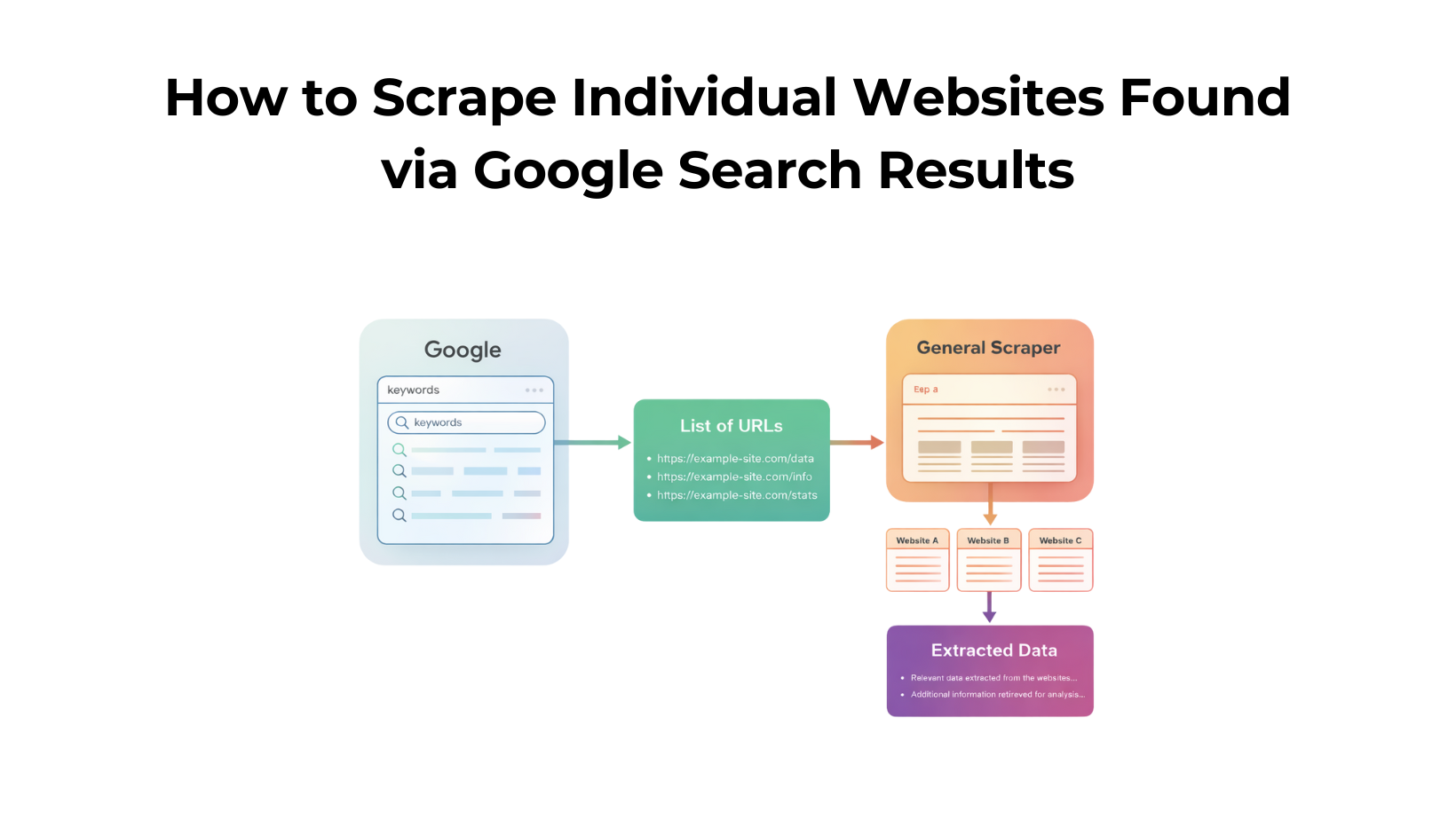
Scraping data from the open web often starts with a simple Google search. You find a list of relevant websites, but the real challenge begins when you need to extract information from each of those individual pages. In this guide, we’ll walk through how to automate that entire process using Google Search API to collect search result URLs, and the General Web Scraping API to scrape content from each site, all without worrying about proxies, blocks, or captchas.
Whether you’re building a dataset, running competitor research, or just exploring automation, this tutorial will help you go from search to structured data in minutes. We will be using Python to scrape and collect data from the web.
Why even scrape websites?
Search engines show where the information lives but not the information itself. When you’re doing research, monitoring competitors, or building datasets, visiting each site manually becomes tedious and nearly impossible at scale. That’s where web scraping comes in. By scraping individual websites found through Google Search, you can automatically extract key data points, like product details, contact info, or article text in a structured format.
Why use Scrapingdog for Scraping?
Most developers struggle with unreliable data, rate limits, and constant blocking when scraping at scale. Scrapingdog eliminates those hurdles with powerful APIs designed for both simplicity and performance.
Whether you’re handling a few hundred pages or running large-scale crawls, Scrapingdog gives you stable, production-ready infrastructure all through simple API calls that just work.
First, make sure you have Python 3.x installed on your system. If not, you can download it from the official Python website.
Next, create a free account on Scrapingdog. You can sign up for the trial pack, which includes 1,000 free credits to test our APIs and start experimenting right away.
Finally, create a folder by any name you like. I am naming the folder as tutorial. Inside this folder, create a Python file. This is where we will keep our Python code.
Inside the folder, tutorial, install requests and pandas library.
- requests — This will be used for making an HTTP connection with the Scrapingdog APIs.
- pandas — This will be used for storing the scraped data in a csv file.
Process
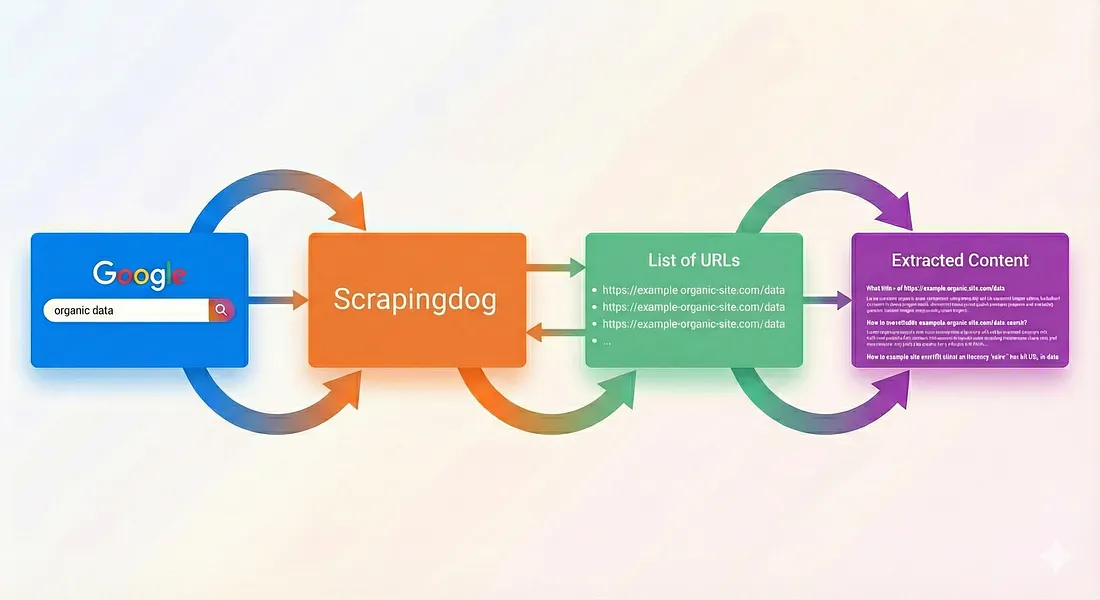
- We will first scrape the SERP data using the Google Search API.
- Then we will use the general scraper to extract data from all the URLs received from serp data.
Scraping Google Serp data with Scrapingdog
For this tutorial, we will scrape search results for the term football.
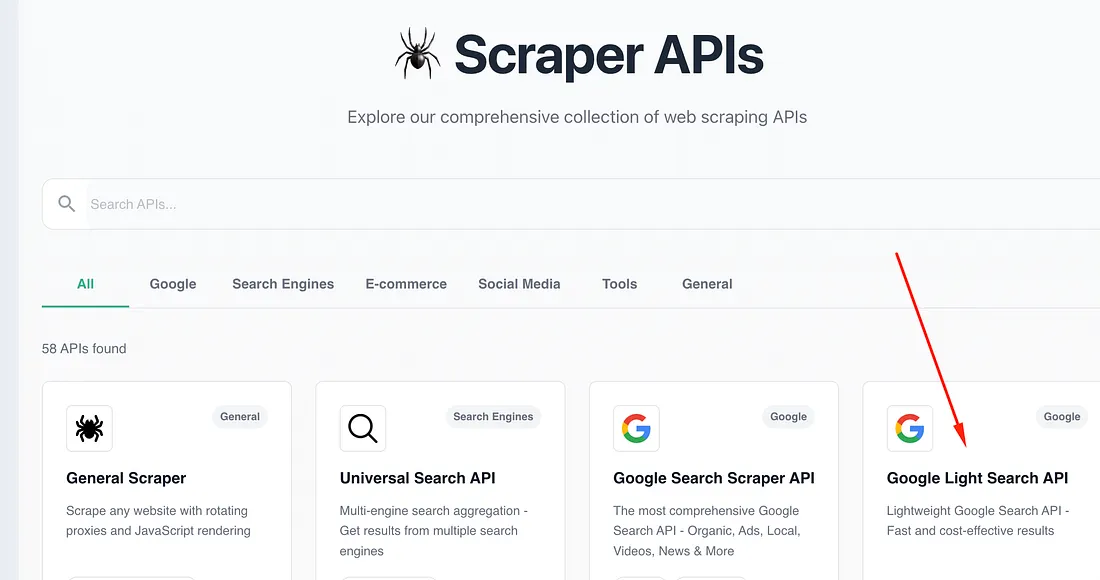
We will use Google Light Search API for this task because we only need the organic search results(Google Search Scraper API will provide you with ads, AI overview, etc).
import requests
api_key = "your-api-key"
url = "https://api.scrapingdog.com/google"
params = {
"api_key": api_key,
"query": "football",
"country": "us",
"advance_search": "false",
"domain": "google.com",
"language": "en"
}
response = requests.get(url, params=params)
if response.status_code == 200:
data = response.json()
print(data)
else:
print(f"Request failed with status code: {response.status_code}")
The above code is pretty simple, but let me explain it to you step by step.
- Imports the requests library to make HTTP requests.
- Defines your API key and the Scrapingdog Google Search API endpoint.
- Creates query parameters for the API call (search term, country, language, etc.).
- Sends a GET request to Scrapingdog’s API with those parameters.
- Checks the response status — if it’s 200 (success), it converts the JSON response into a Python dictionary.
- Prints the search results if successful; otherwise, prints an error message with the status code.
Once you run this code, you will get a beautiful JSON array. In this response, you will find an array organic_results that will have all the links we need for the data extraction process in the next step.
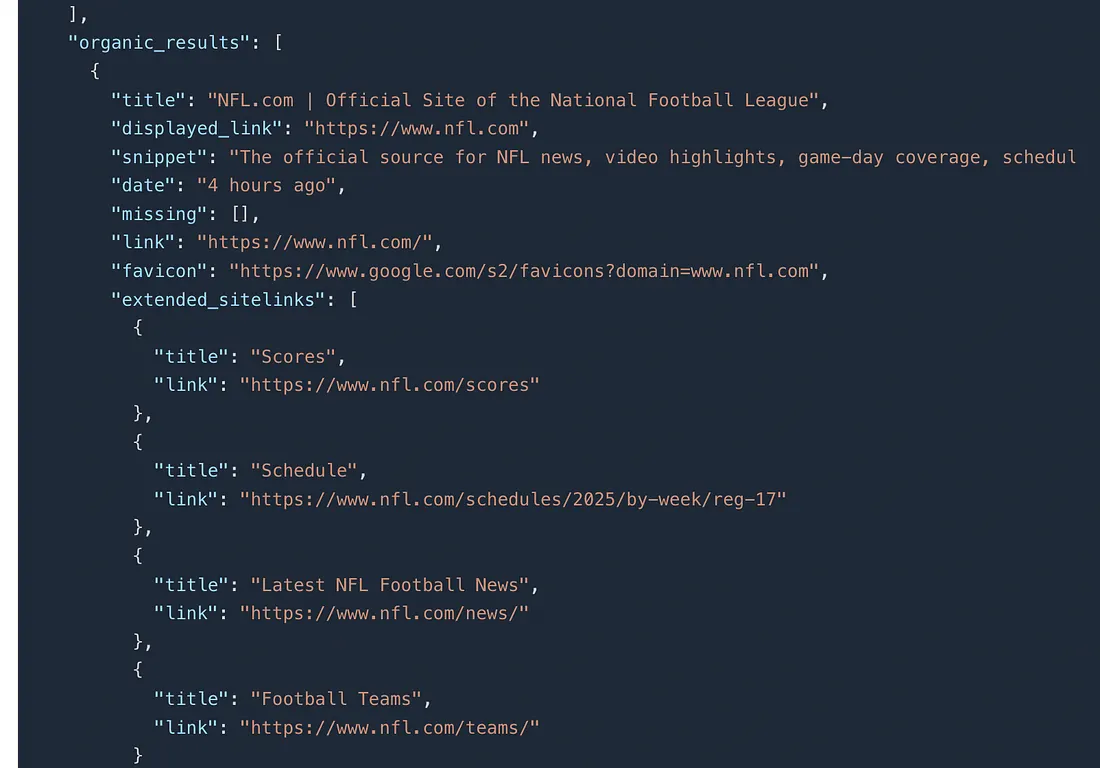
Now, let’s parse this JSON even further to collect all these links in a separate list.
import requests
api_key = "your-api-key"
url = "https://api.scrapingdog.com/google"
links=[]
params = {
"api_key": api_key,
"query": "football",
"country": "us",
"advance_search": "false",
"domain": "google.com",
"language": "en"
}
response = requests.get(url, params=params)
if response.status_code == 200:
data = response.json()
organic = data["organic_results"]
for x in range(0,len(organic)):
links.append(organic[x]['link'])
else:
print(f"Request failed with status code: {response.status_code}")
print(links)
In the above code, we are using for loop to iterate over all the organic search results we got. Finally, we are storing the links in a list called links.
Once you run this code, you will get this array printed on the console.


Scraping all the URLs
In this section, we’ll scrape the raw HTML of each website and display it. Of course, you can do much more than just print it 😜, but I’ll leave that part for you to explore.
import requests
api_key = "your-api-key"
url = "https://api.scrapingdog.com/google"
links=[]
params = {
"api_key": api_key,
"query": "football",
"country": "us",
"advance_search": "false",
"domain": "google.com",
"language": "en"
}
response = requests.get(url, params=params)
if response.status_code == 200:
data = response.json()
organic = data["organic_results"]
for x in range(0,len(organic)):
links.append(organic[x]['link'])
else:
print(f"Request failed with status code: {response.status_code}")
print(links)
for u in range(0,len(links)):
resp = requests.get("https://api.scrapingdog.com/scrape?api_key={your-api-key}&url={}&dynamic=false".format(links[u]))
if resp.status_code == 200:
print(resp.text)
else:
print("failed to scrape the url {}".format(links[u]))
In the above code, we are using Scrapingdog’s general scraper endpoint to scrape the raw HTML from all the URLs. We have again used a for loop to iterate over all the URLs stored inside the links list. If the scraper is successful in scraping the website, then it prints the whole HTML on the console; otherwise, it prints an error message.
Conclusion
Scraping websites found through Google Search doesn’t have to be complicated or time-consuming. With Scrapingdog’s Google Search API, you can collect a list of relevant URLs in seconds, and with the General Scraping API, extract clean, structured data from each page effortlessly.
Together, these APIs create a seamless pipeline, from discovering pages to extracting insights, and that too without managing proxies, browsers, or rate limits. Whether you’re building a research tool, running competitive analysis, or automating content aggregation, this setup gives you the control and scalability you need to move fast and focus on results.