🚀 Grab 10% off on all plans. Apply code WELCOME2026 at checkout. 🚀

Add Your Heading Text Here

How to Scrape Google Hotels Data (Tutorial 2026)

How to scrape google hotels data

Table of Contents

Google Hotels is one of the most comprehensive travel search engines, aggregating pricing, availability, and reviews from hundreds of booking platforms. Whether you’re building a price comparison tool, conducting market research for the hospitality industry, or tracking hotel pricing trends, scraping Google Hotels data can provide invaluable insights.

In this tutorial, you’ll learn how to scrape Google Hotels data using Python. We’ll use Scrapingdog’s Google Hotels API for scraping real-time information.

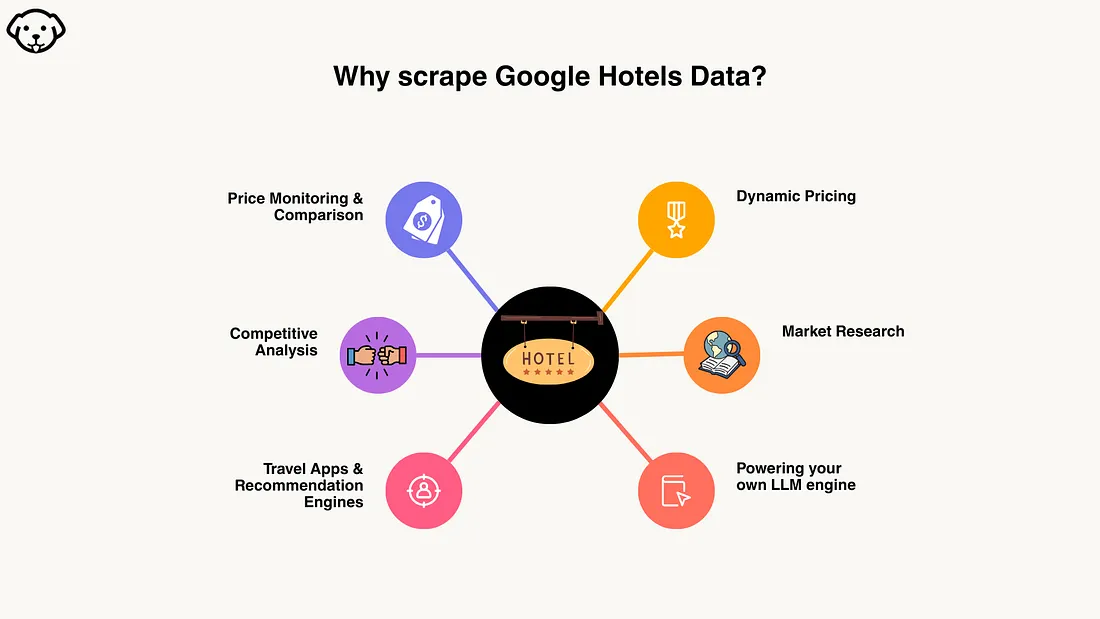
Why scrape Google Hotels data?

scrape google hotels data

Price Monitoring & Comparison — Track hotel prices across dates and locations to build price comparison tools or alert users about deals.

Competitive Analysis — Monitor competitor pricing strategies, occupancy patterns, and seasonal trends to optimize your own pricing.

Travel Apps & Recommendation Engines — Build intelligent travel platforms that recommend hotels based on real-time pricing, ratings, and availability.

Dynamic Pricing — Use market data to implement smart pricing algorithms that maximize revenue while staying competitive.

Market Research — Analyze hospitality trends, evaluate investment opportunities, or conduct academic research on tourism economics.

Manual data collection doesn’t scale. Automated scraping with ScrapingDog transforms hours of manual work into seconds, enabling data-driven decisions at scale.

Why use Scrapingdog for scraping Google Hotels data?

Bypass Google’s Anti-Bot Systems — Google Hotels uses sophisticated bot detection that blocks traditional scrapers. Scrapingdog handles this automatically.

No Proxy Management — Forget about rotating proxies, managing IP pools, or dealing with rate limits. ScrapingDog’s infrastructure handles it all.

Structured JSON Output — Get clean, parsed data ready to use. No need to write complex CSS selectors or handle HTML parsing.

JavaScript Rendering Handled — Google Hotels loads data dynamically via JavaScript. ScrapingDog renders it properly, so you get complete information.

High Success Rate — Built-in retry logic and smart request handling ensure your scraping jobs succeed consistently, even at scale.

Prerequisite

  • Install requests library for making the HTTP connection with the API.
  • Install pandas for storing the data in a csv file.
  • Collect the Scrapingdog API key from the dashboard.

Scraping Hotel Data with Python

Create a Python file by any name you like. I am naming the file as hotels.py.

This is how using Python and Scrapingdog you can scrape the data from Google Hotels.

    
     import requests

api_key = "your-api-key"
url = "https://api.scrapingdog.com/google_hotels"

params = {
    "api_key": api_key,
    "query": "hotels in paris",
    "country": "us",
    "language": "en",
    "currency": "USD",
    "check_in_date": "2026-03-24",
    "check_out_date": "2026-03-25",
    "adults": 2,
    "children": 0
}

# Remove None values
params = {k: v for k, v in params.items() if v}

response = requests.get(url, params=params)

if response.status_code == 200:
    data = response.json()
    print(data)
else:
    print(f"Request failed with status code: {response.status_code}")


This is a very basic setup, but let me briefly explain to you the code.

  • API Setup: Configures a request to ScrapingDog’s Google Hotels API endpoint with your API key to fetch hotel data.
  • Search Parameters: Defines hotel search criteria, looking for hotels in Paris for US users, with English language results, USD pricing, specific check-in/out dates (March 24–25, 2026), and 2 adults.
  • Parameter Cleanup: Filters out any parameters with None values before sending the request (though all parameters are already defined in this example).
  • API Call & Response: Makes a GET request to the API and prints the JSON response if successful (status 200), otherwise displays the error status code.

Once you run this code, you will get parsed JSON data.
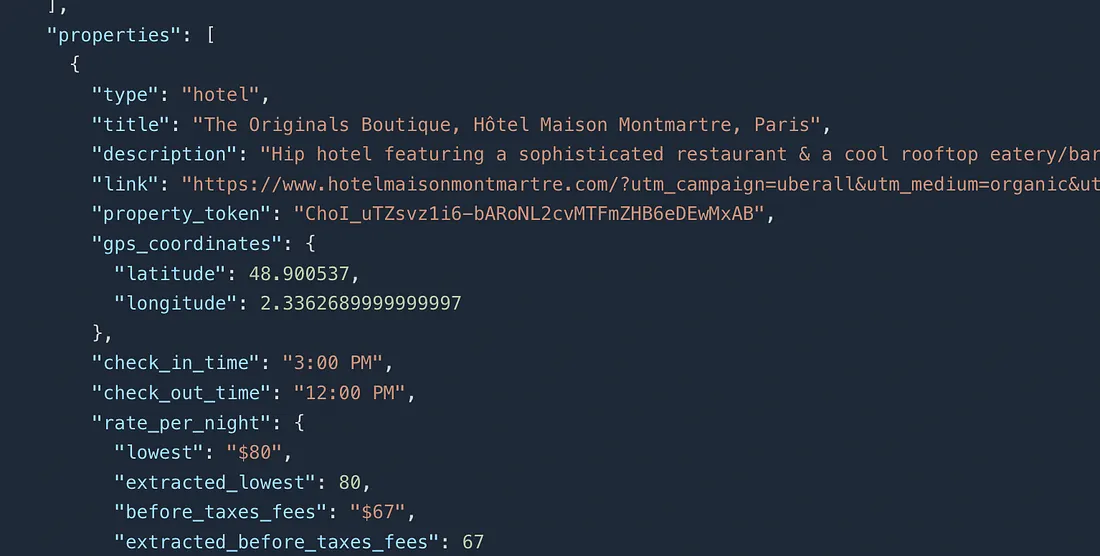
result screen

In this JSON data, you will get:

  • Property Name
  • Coordinates
  • Pricing(from lowest to highest)
  • Tax information.
  • Nearby Places.
  • Hotel Images

You will even get an ads array in which you will find which properties are running ads on Google.

Handling Pagination

Now, what if you need hotel data from the next page? For this, we can use the next_page_token parameter to extract data from the next page of the Google Hotels page. You will find this token in the JSON response of the first page itself.

    
     import requests

api_key = "your-api-key"
url = "https://api.scrapingdog.com/google_hotels"

params = {
    "api_key": api_key,
    "query": "hotels in paris",
    "country": "us",
    "language": "en",
    "currency": "USD",
    "check_in_date": "2026-03-24",
    "check_out_date": "2026-03-25",
    "adults": 2,
    "children": 0,
    "next_page_token":"CCQ="
}

# Remove None values
params = {k: v for k, v in params.items() if v}

response = requests.get(url, params=params)

if response.status_code == 200:
    data = response.json()
    print(data)
else:
    print(f"Request failed with status code: {response.status_code}")


Once again, if you run this code, you will get data from the next page. And this loop continues like this.

Storing the data in a CSV file

We will use pandas to store the hotels data in a csv file. Here is how the Python code will look.

    
     import requests
import pandas as pd

api_key = "your-api-key"
url = "https://api.scrapingdog.com/google_hotels"

params = {
    "api_key": api_key,
    "query": "hotels in paris",
    "country": "us",
    "language": "en",
    "currency": "USD",
    "check_in_date": "2026-03-24",
    "check_out_date": "2026-03-25",
    "adults": 2,
    "children": 0
}

# Remove None values
params = {k: v for k, v in params.items() if v}

response = requests.get(url, params=params)

if response.status_code == 200:
    data = response.json()
    
    # Extract properties data
    properties = data.get('properties', [])
    
    # Flatten the nested structure
    flattened_properties = []
    
    for prop in properties:
        flat_prop = {
            'type': prop.get('type'),
            'title': prop.get('title'),
            'description': prop.get('description'),
            'link': prop.get('link'),
            'property_token': prop.get('property_token'),
            'latitude': prop.get('gps_coordinates', {}).get('latitude'),
            'longitude': prop.get('gps_coordinates', {}).get('longitude'),
            'check_in_time': prop.get('check_in_time'),
            'check_out_time': prop.get('check_out_time'),
            'rate_per_night_lowest': prop.get('rate_per_night', {}).get('lowest'),
            'rate_per_night_extracted': prop.get('rate_per_night', {}).get('extracted_lowest'),
            'rate_per_night_before_taxes': prop.get('rate_per_night', {}).get('before_taxes_fees'),
            'total_rate_lowest': prop.get('total_rate', {}).get('lowest'),
            'total_rate_extracted': prop.get('total_rate', {}).get('extracted_lowest'),
            'total_rate_before_taxes': prop.get('total_rate', {}).get('before_taxes_fees'),
            'hotel_class': prop.get('hotel_class'),
            'extracted_hotel_class': prop.get('extracted_hotel_class'),
            'reviews': prop.get('reviews'),
            'overall_rating': prop.get('overall_rating'),
            'location_rating': prop.get('location_rating'),
            'eco_certified': prop.get('eco_certified'),
            'amenities': ', '.join(prop.get('amenities', [])),
        }
        
        # Add nearby places (first one only)
        if prop.get('nearby_places'):
            flat_prop['nearby_place_name'] = prop['nearby_places'][0].get('name')
        
        flattened_properties.append(flat_prop)
    
    # Create DataFrame
    df = pd.DataFrame(flattened_properties)
    
    # Save to CSV
    df.to_csv('hotels_data.csv', index=False)
    
    print(f"✅ Data saved successfully!")
    print(f"Total properties: {len(df)}")
    print(f"\nFirst few rows:")
    print(df.head())
    
else:
    print(f"❌ Request failed with status code: {response.status_code}")


The hotel data will be stored in a hotels_data.csv file. The output of this code will look like this.
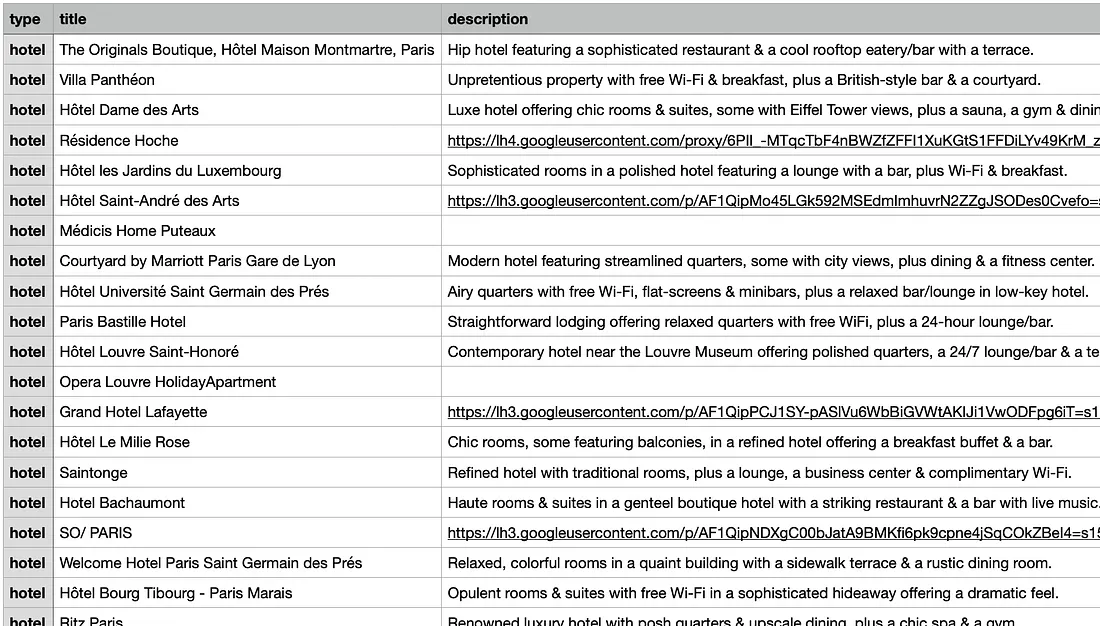
result image

Extracting data of a particular hotel

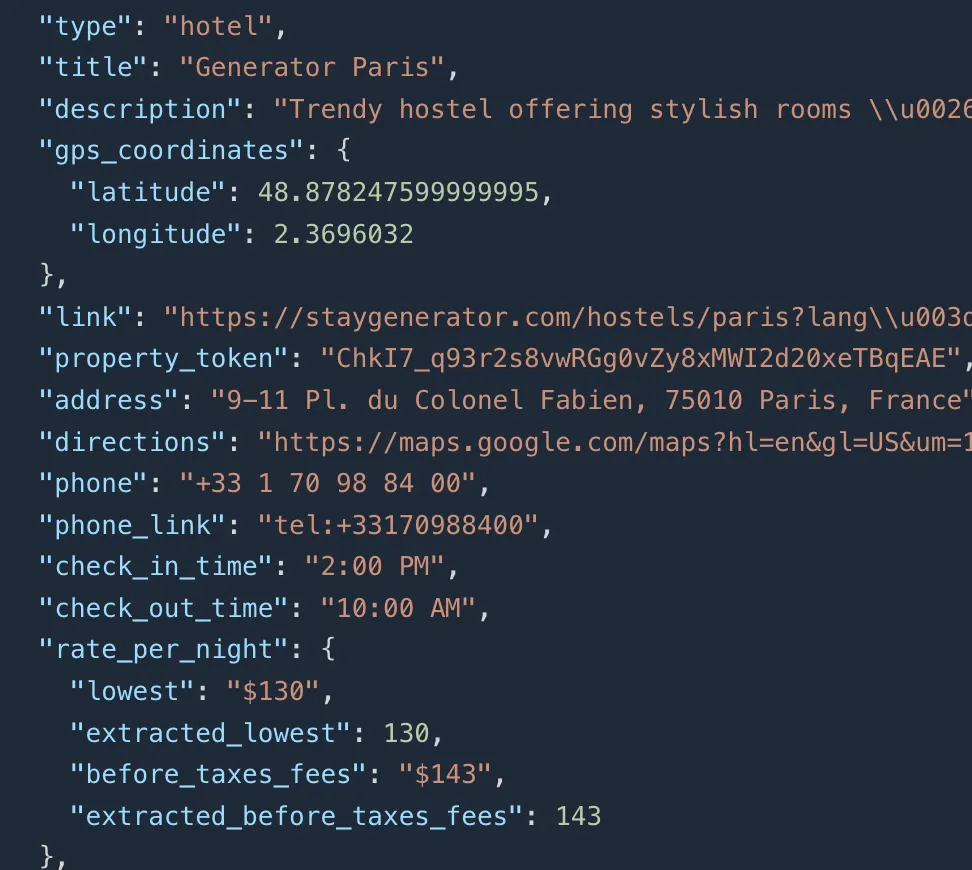
In the previous section, you retrieved a property_token for each hotel. Use this token to fetch detailed data for that specific property. For example, using the token ChkI7_q93r2s8vwRGg0vZy8xMWI2d20xeTBqEAE will return data for the Generator Paris hotel.
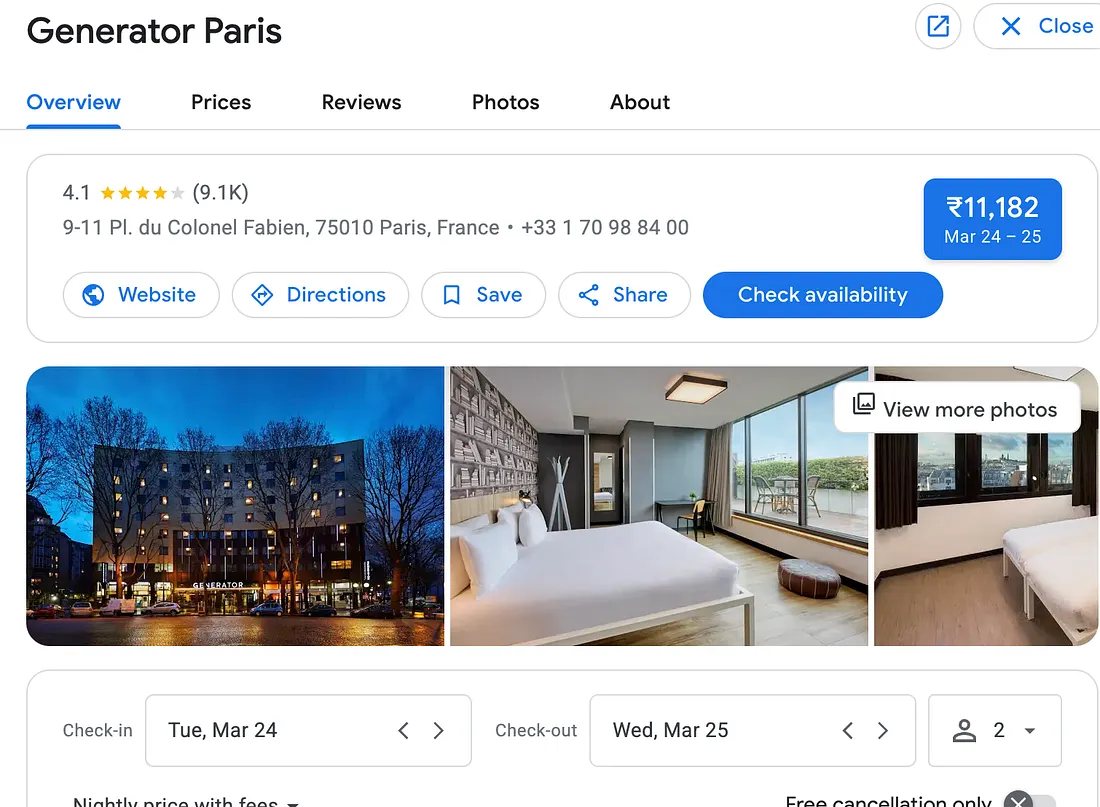
property image

    
     import requests

api_key = "your-api-key"
url = "https://api.scrapingdog.com/google_hotels"

params = {
    "api_key": api_key,
    "query": "paris",
    "country": "us",
    "language": "en",
    "currency": "USD",
    "check_in_date": "2026-03-24",
    "check_out_date": "2026-03-25",
    "adults": 2,
    "property_token":"ChkI7_q93r2s8vwRGg0vZy8xMWI2d20xeTBqEAE",
    "children": 0
}

# Remove None values
params = {k: v for k, v in params.items() if v}

response = requests.get(url, params=params)

if response.status_code == 200:
    data = response.json()
    print(data)
else:
    print(f"Request failed with status code: {response.status_code}")


Output for the above code:

code output

Here are a few key takeaways:

1. Automate Hotel Data Collection — Scrape Google Hotels for price monitoring, competitive analysis, and building travel apps with real-time pricing and availability data.

2. ScrapingDog Handles Complexity — Bypass Google’s bot detection, proxy management, and JavaScript rendering automatically with structured JSON output.

3. Simple Python Integration — Just set your API key and search parameters (location, dates, guests) to fetch comprehensive hotel data instantly.

4. Easy Pagination & CSV Export — Use next_page_token for multiple pages and pandas to convert JSON data into CSV files for analysis.

5. Property-Specific Scraping — Extract detailed information for individual hotels using their unique property_token for deep-dive analysis.

Conclusion

Scraping Google Hotels data doesn’t have to be complicated. With ScrapingDog’s API, you can extract comprehensive hotel information like pricing, ratings, availability, and more by using just a few lines of Python code. The API handles all technical challenges like bot detection and JavaScript rendering, delivering clean JSON data ready for analysis.

Whether you’re building a price comparison tool, conducting market research, or developing a travel app, ScrapingDog makes hotel data extraction simple and scalable. Get started today with your API key and transform hotel data into actionable insights.

My name is Manthan Koolwal and I am the founder of scrapingdog.com. I love creating scraper and seamless data pipelines.
Manthan Koolwal
Manthan Koolwal

Web Scraping with Scrapingdog

Scrape the web without the hassle of getting blocked

Recent Blogs

How to scrape google hotels data

How to Scrape Google Hotels Data (Tutorial 2026)

Learn how to scrape Google Hotels data in 2026 using APIs and automation. Extract prices, ratings, availability & hotel details without getting blocked.
SerpAPI vs Serper vs Scrapingdog

SerpAPI vs Serper vs Scrapingdog: We Tested All Three So You Don’t Have To

We have compared Serper & SerpAPI in this article, further we have compared Scrapingdog's API performance with these two.