🚀 Black Friday Discount is on. Grab 15% off on all plans. Apply code BLACK15 at checkout. 🚀

Add Your Heading Text Here

How To Scrape Google Shorts Videos Using Python

Scrape Google Short Videos using Python

Table of Contents

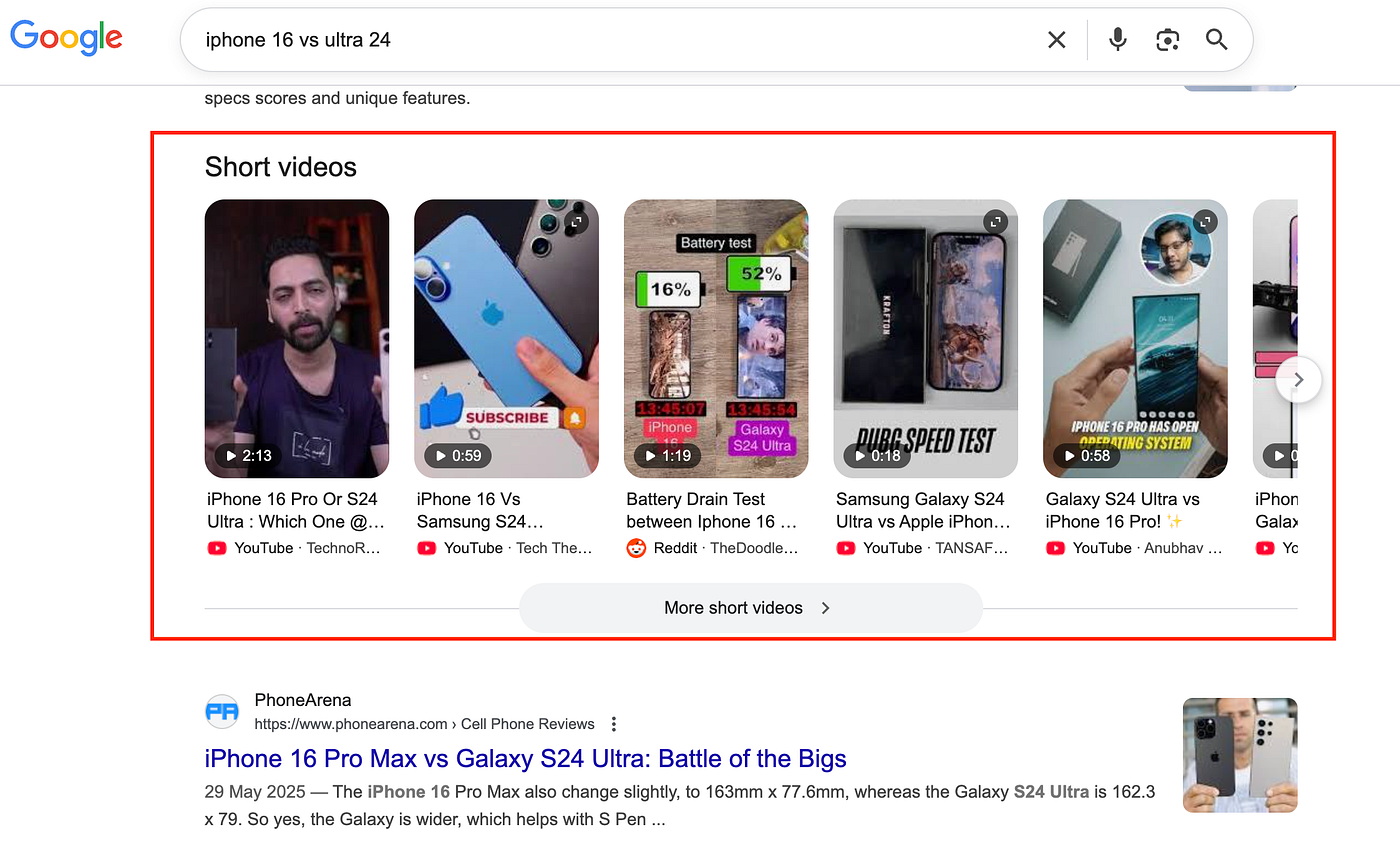
Ever noticed how Google now shows short videos directly in search results pulled from YouTube, Instagram, or TikTok? These snippets dominate visibility, especially for trending topics and product reviews.

In this tutorial, we’ll show you exactly how to scrape short videos from Google search results, including titles, thumbnails, video sources, and URL, using Python. Whether you’re doing content research, competitor tracking, or building a dataset for analysis, this guide will help you automate it easily and efficiently.

Why scrape Google Short Videos?

If you’ve Googled anything lately, you’ve probably noticed short videos are everywhere. They’re showing up near the top of search results for just about everything: trending topics, how-to guides, product reviews, and local searches. Google’s practically pushing traditional web links down to make room for them.

So why bother scraping these videos? Well, there’s actually some pretty useful stuff you can learn:

  • You can spot what’s trending by seeing which videos Google thinks are worth highlighting for certain keywords.
  • It’s a good window into user intent, too; you’ll see exactly what kind of video content is actually resonating with people in your space.
  • If you’ve got your own videos (or you’re keeping tabs on competitors), you can track whether they’re making it into those coveted short video carousels.
  • And all of this feeds into smarter SEO decisions, better content strategy, or even finding the right influencers to work with.

Bottom line, whether you’re building a content analytics tool, putting together a keyword intelligence dashboard, or just curious about what makes videos rank, scraping Google’s short video data gives you real insight into what’s actually getting attention in search today.

Why Use Scrapingdog To Scrape Google Short Videos?

Scraping Google search results is not as simple as making a simple GET requests. Google uses dynamic rendering, bot detection, and location-based variations that make it tricky to collect accurate data consistently.

That’s where Scrapingdog makes it effortless. With just one API call, you can fetch structured JSON data that includes titles, video sources (YouTube, TikTok, Instagram), URLs, and thumbnails that too without worrying about IP bans, CAPTCHA, Browsers or rotating proxies.

Google frequently updates its UI layout, and Scrapingdog stays on top of those changes. We continuously monitor and adapt our systems so you can focus on collecting data without any interruptions.

Prerequisite

Before we start with the extraction process make sure you have already installed Python 3.x on your machine. If it is not downloaded already then you can do it from here.

Now, create a folder by any name you like. I am naming the folder as webpython. Inside this folder create a Python file and name it whatever you like. Now, install requests library inside this folder. We will use this to make an HTTP connection with the host website.

The final step is to sign up for Scrapingdog’s free pack. You’ll receive 1,000 free credits upon signup, which you can use to test any of Scrapingdog’s APIs.

How to scrape Short Videos?

Now, there are two ways to scrape Google short videos with Scrapingdog. You can either scrape the search results and access the short video array in the JSON response or you can use the dedicated Google Short Videos API to get the desired data. In this tutorial, we’ll explore both methods to extract the data.

Getting Short Video data using Google SERP API

In this section we will scrape the default Google search result page using the Serp API. We will use the query iphone 16 vs ultra 24.
 

When you pass this query to the Google scraper, you will get a ready Python code on the right-hand side.
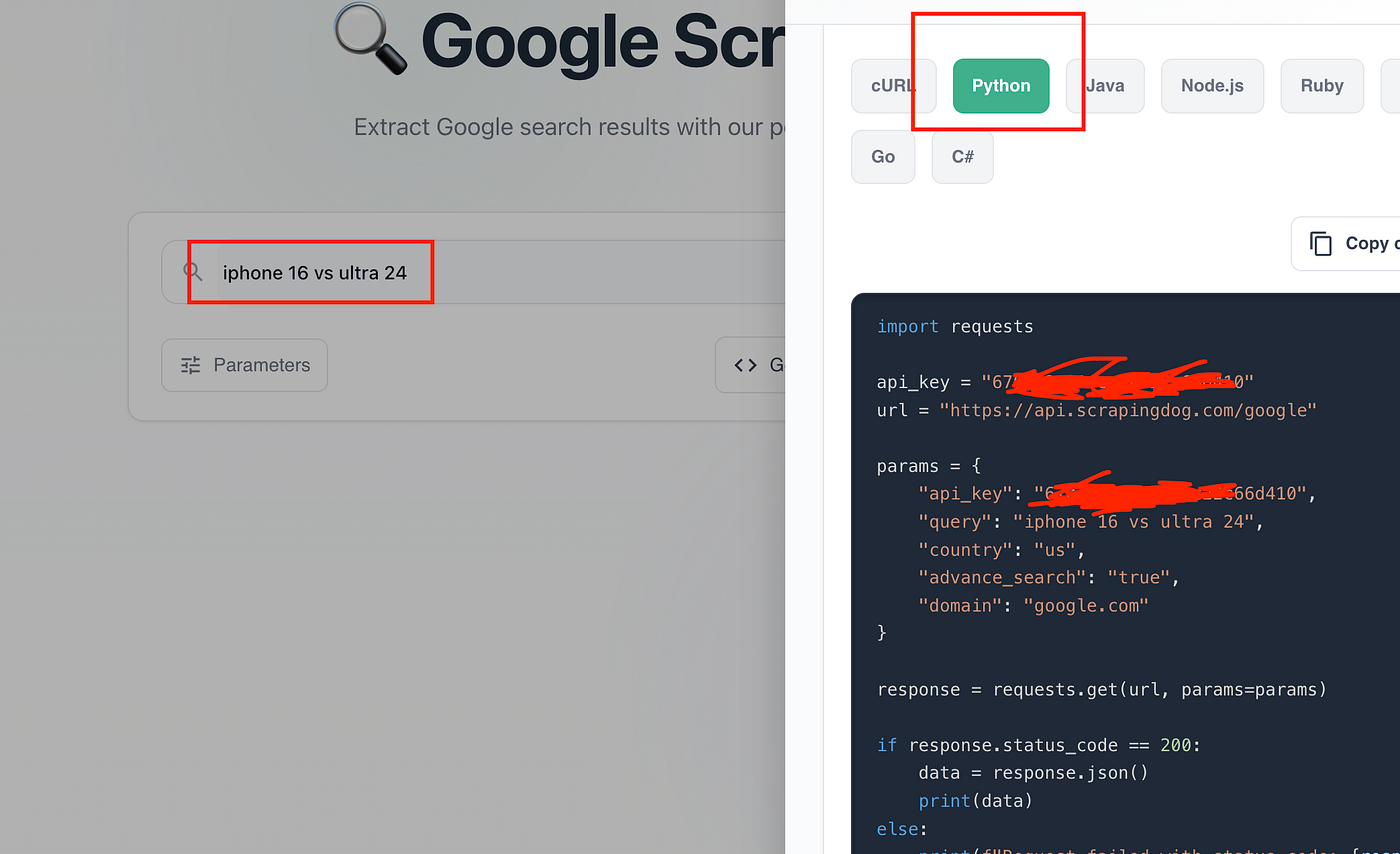
 

Just copy this code and paste it into your Python file.

				
					import requests

api_key = "your-api-key"
url = "https://api.scrapingdog.com/google"

params = {
    "api_key": api_key,
    "query": "iphone 16 vs ultra 24",
    "country": "us",
    "advance_search": "true",
    "domain": "google.com"
}

response = requests.get(url, params=params)

if response.status_code == 200:
    data = response.json()
    print(data['short_videos'])
else:
    print(f"Request failed with status code: {response.status_code}")


Once you run this code, you will get this JSON response, which includes details like the video’s title, the video’s link, etc. Also, don’t forget to pass your own private API key in the above code.
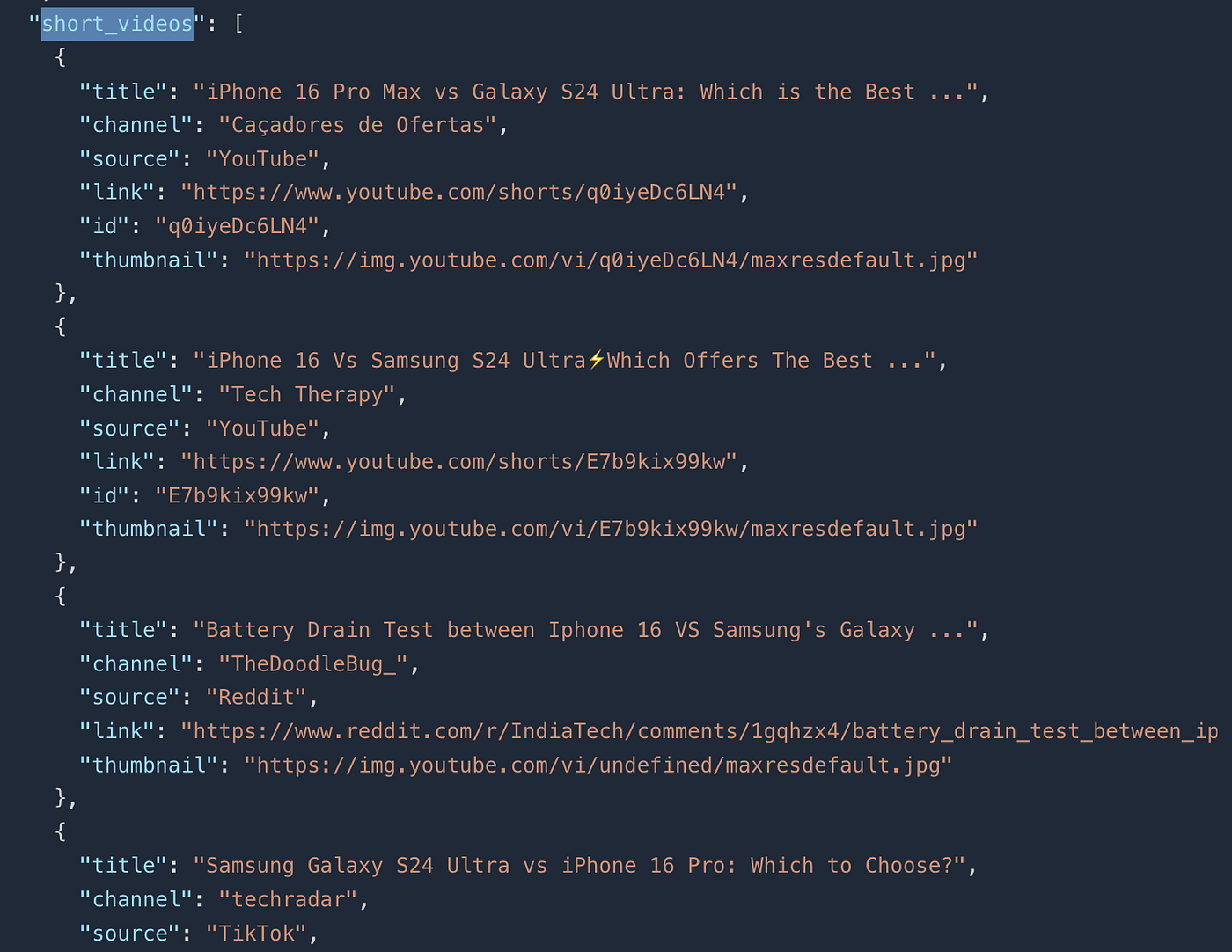
From the JSON response of the whole search page, we have parsed this array of short_video.

Now, let’s see how we can extract this data with our Google Shorts API.

Getting Short Video data using Google SERP API

This is the second method to extract Google Short Video data. Compared to the previous approach, this method provides access to much more detailed data. We will use Google Shorts API for this section.

Again, to get the ready Python code, head to the Google Short API section on your dashboard and just pass the query iphone 16 vs ultra 24. Then click on Get code to get the Python code ready for your use case.
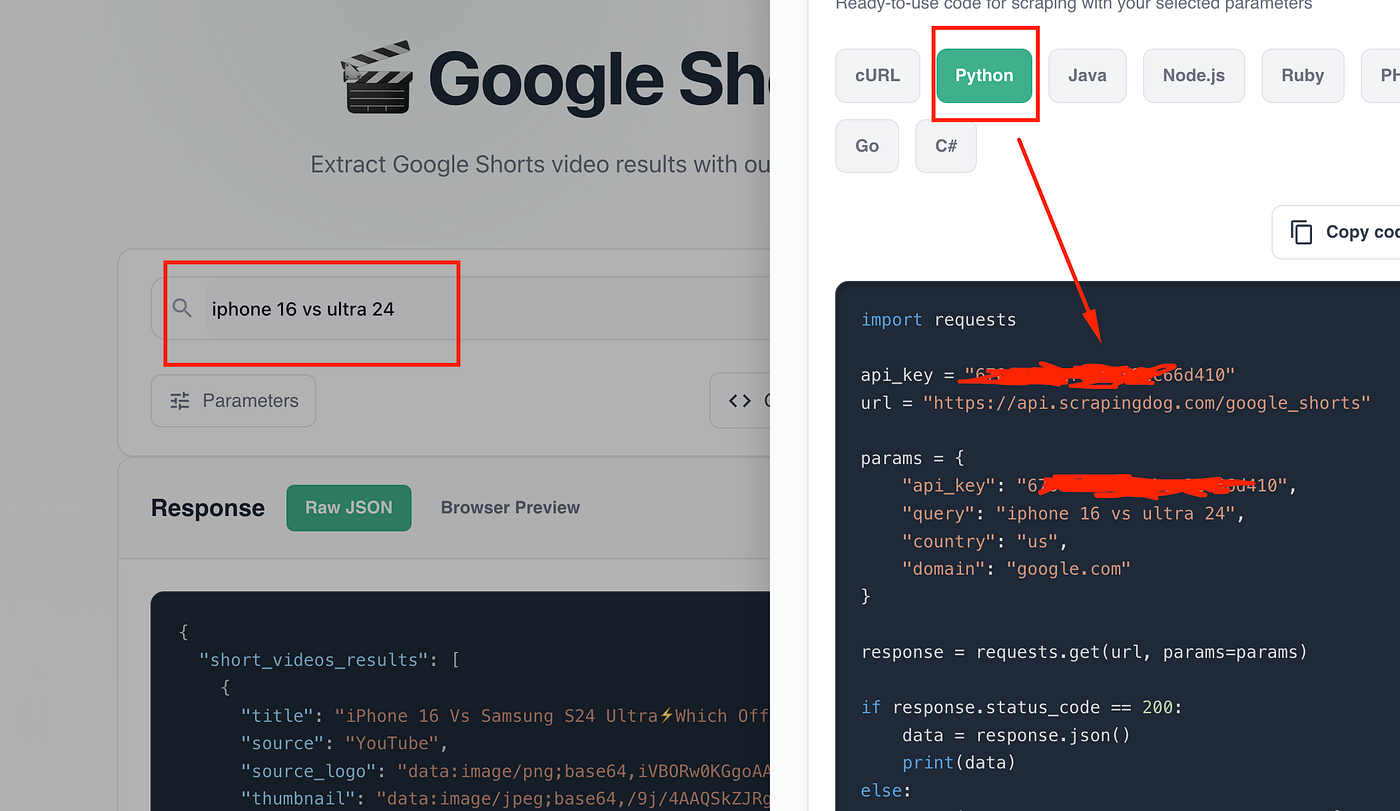
Copy this code and paste it into your Python file.

				
					import requests

api_key = "your-api-key"
url = "https://api.scrapingdog.com/google_shorts"

params = {
    "api_key": api_key,
    "query": "iphone 16 vs ultra 24",
    "country": "us",
    "domain": "google.com"
}

response = requests.get(url, params=params)

if response.status_code == 200:
    data = response.json()
    print(data)
else:
    print(f"Request failed with status code: {response.status_code}")


Once you run this code, you will get this beautiful JSON data.
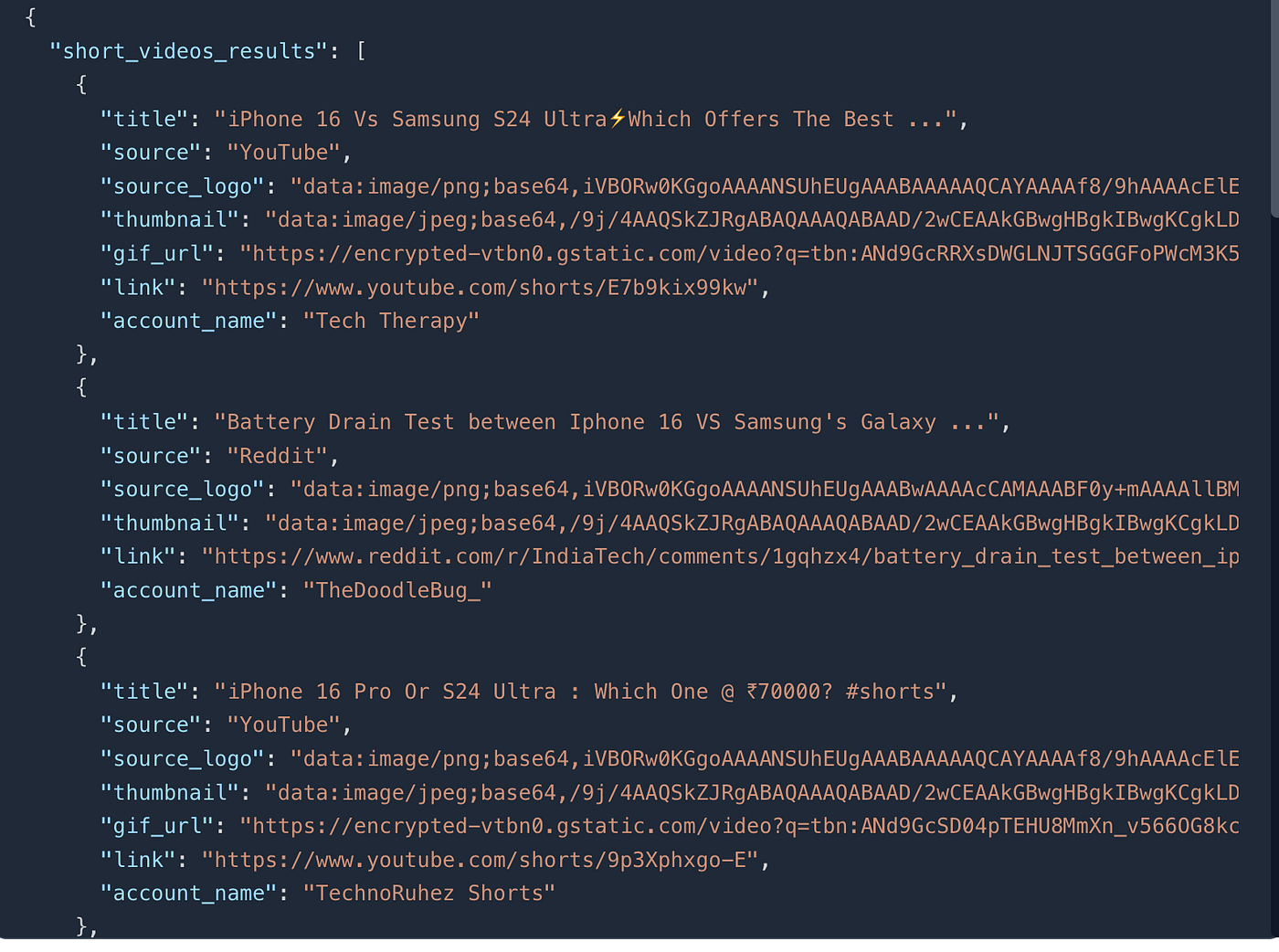
As you can see in the JSON response, it includes the short video’s title, direct link, and several other useful data points.

Conclusion

Scraping short videos from Google Search results using Python is a powerful way to collect video insights across multiple platforms without manually browsing. By combining Python libraries like requests and APIs like Scrapingdog, you can automate the process efficiently.

Whether you’re analyzing trends, building a video discovery engine, or enhancing your SEO strategy, this approach helps you turn Google’s search results into structured, actionable data. Just remember to always scrape responsibly and use the data ethically.

Additional Resources

My name is Manthan Koolwal and I am the founder of scrapingdog.com. I love creating scraper and seamless data pipelines.
Manthan Koolwal
Manthan Koolwal

Web Scraping with Scrapingdog

Scrape the web without the hassle of getting blocked

Recent Blogs

Scrape Baidu Search Results using Python

How To Scrape Baidu Search Results using Python

In this blog, we will be scraping results from the Chinese search engine Baidu using Python. We have used Baidu Search API from Scrapingdog to scale the process.
Scrape Google Short Videos using Python

How To Scrape Google Shorts Videos Using Python

In this article, we have scraped Google shorts videos using Python & explained a method wherein you can scale this process via Scrapingdog's API.