
Google Play Store Scraper API
The Google Play Store Scraper API returns Play Store data as structured JSON. One endpoint covers all three storefronts — apps, games and books — serving search results, category browsing, editorial sections and chart listings. Each successful request costs 5 API credits.
Endpoint:
https://api.scrapingdog.com/google_playAPI Parameters
🔑
Scrapingdog Parameters
api_keyRequiredYour personal API key. Available on your dashboard.
Type: String
🔍
Storefront & Search
storeOptionalStorefront to query.
Accepted values:apps,games,books.
Default:apps
Type: StringqueryOptionalSearch term. Omit it to get the storefront’s curated home page — its editorial sections and charts — which is a valid and useful mode rather than an error.
Cannot be combined with a category parameter.
Type: Stringapps_categoryOptionalBrowse a category instead of searching. Only valid withstore=apps.
Type: Stringgames_categoryOptionalBrowse a category instead of searching. Only valid withstore=games.
Type: Stringbooks_categoryOptionalBrowse a category instead of searching. Only valid withstore=books.
Type: String
📍
Localization
countryOptionalTwo-letter country code, which sets the storefront region (Google’sgl).
Default:us
Type: StringlanguageOptionalTwo-letter language code (Google’shl).
Default:en
Type: String
🎚
️ Filters
store_deviceOptionalFilter to a device form factor.
Accepted values forstore=apps:phone,tablet,tv,chromebook,watch,car. Forstore=games:phone,windows,tablet,tv,chromebook,watch. Not supported forstore=books.
A non-default device cannot narrow a search or a category —phoneis the default and changes nothing, so it is accepted alongsidequeryor a category, while any other value is rejected.
Default:phone
Type: StringageOptionalAge band for family content.
Accepted values:AGE_RANGE1,AGE_RANGE2,AGE_RANGE3.
Only valid alongside a family category —apps_category=FAMILYorbooks_category=coll_1689.
Type: StringpriceOptionalBooks search only, and only together with aquery.
Accepted values:1(free books),2(paid books).
Type: String
📄
Pagination
next_page_tokenOptionalFetch the next page of a result set. Returned inpagination.next_page_token.
Only one pagination token may be sent per request, and a token already encodes its position, so it takes precedence over the other request parameters rather than combining with them.
Type: Stringsection_page_tokenOptionalPage within one section. Returned inorganic_results[].section_page_token.
Type: Stringsee_more_tokenOptionalExpand a section’s “See more” link into a full result set. Returned inorganic_results[].see_more_token.
Type: String
⚙
️ Scrapingdog Options
htmlOptionalSet totrueto receive the raw Play Store HTML instead of parsed JSON.
Default:false
Type: Boolean
API Examples
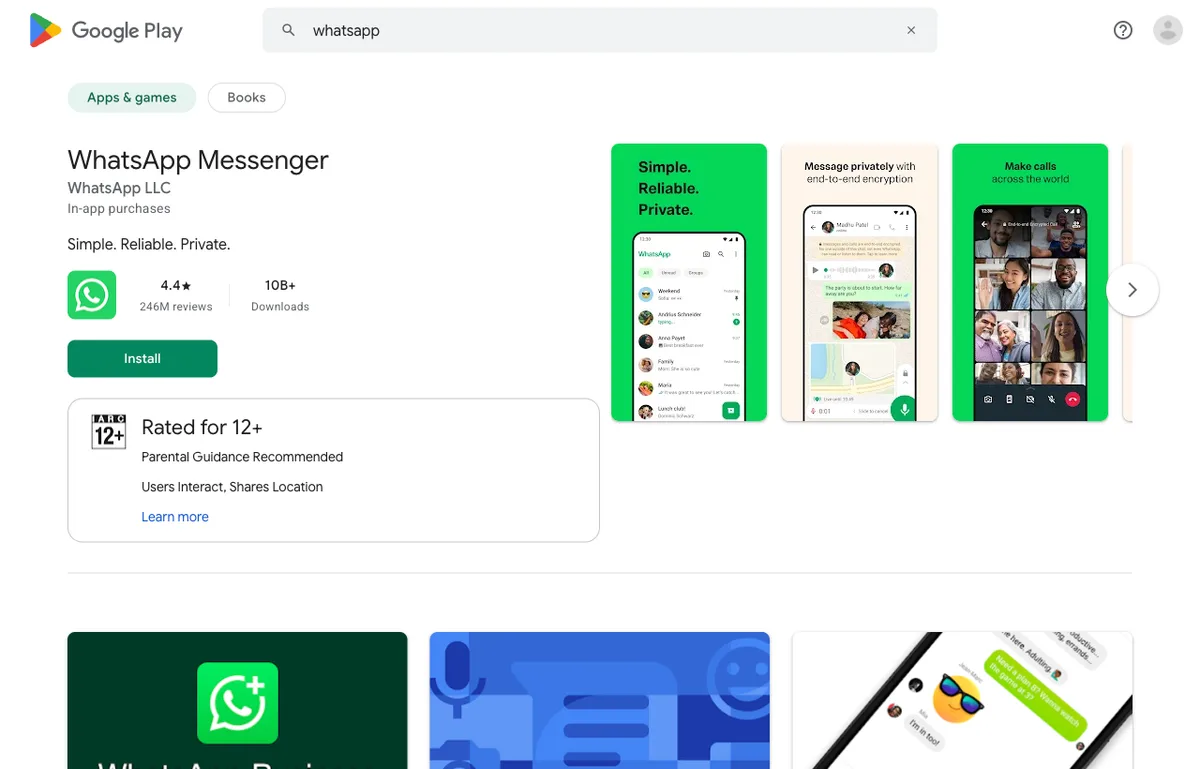
Code to Integrate
curl "https://api.scrapingdog.com/google_play?api_key=APIKEY&store=apps&query=whatsapp"
import requests

url = "https://api.scrapingdog.com/google_play"

params = {
    "api_key": "APIKEY",
    "store": "apps",
    "query": "whatsapp"
}

response = requests.get(url, params=params)

if response.status_code == 200:
    data = response.json()
    for section in data["organic_results"]:
        for item in section["items"]:
            print(item["title"], item["rating"], item["product_id"])
else:
    print(f"Request failed with status code: {response.status_code}")
const axios = require('axios');

axios.get('https://api.scrapingdog.com/google_play', {
  params: { api_key: 'APIKEY', store: 'apps', query: 'whatsapp' }
}).then(response => console.log(response.data.organic_results))
  .catch(error => console.error(error.message));
<?php
$url = 'https://api.scrapingdog.com/google_play?' . http_build_query([
    'api_key' => 'APIKEY',
    'store'   => 'apps',
    'query'   => 'whatsapp',
]);
echo file_get_contents($url);
require 'net/http'
require 'uri'

url = URI.parse("https://api.scrapingdog.com/google_play")
url.query = URI.encode_www_form('api_key' => 'APIKEY', 'store' => 'apps', 'query' => 'whatsapp')

http = Net::HTTP.new(url.host, url.port)
http.use_ssl = true
puts http.request(Net::HTTP::Get.new(url)).body
import java.io.*;
import java.net.*;

public class Main {
    public static void main(String[] args) throws Exception {
        String apiUrl = "https://api.scrapingdog.com/google_play?api_key=APIKEY&store=apps&query=whatsapp";
        URL url = new URL(apiUrl);
        HttpURLConnection conn = (HttpURLConnection) url.openConnection();
        conn.setRequestMethod("GET");
        BufferedReader reader = new BufferedReader(new InputStreamReader(conn.getInputStream()));
        String line;
        while ((line = reader.readLine()) != null) System.out.println(line);
        conn.disconnect();
    }
}
API Response
{
  "search_parameters": {
    "engine": "google_play",
    "store": "apps",
    "query": "whatsapp",
    "country": "us",
    "language": "en"
  },
  "app_highlight": {
    "title": "WhatsApp Messenger",
    "rating": 4.2,
    "reviews": 196000000
  },
  "organic_results": [
    {
      "title": null,
      "items": [
        {
          "title": "WhatsApp Business",
          "link": "https://play.google.com/store/apps/details?id=com.whatsapp.w4b",
          "product_id": "com.whatsapp.w4b",
          "rating": 4.6,
          "author": "WhatsApp LLC",
          "category": "Communication",
          "downloads": "1,000,000,000+",
          "price": "Free",
          "extracted_price": 0,
          "in_app_purchases": "$0.29 - $4,789.99 per item",
          "content_rating": { "text": "Everyone", "thumbnail": "https://play-lh.googleusercontent.com/..." },
          "thumbnail": "https://play-lh.googleusercontent.com/...",
          "images": [{ "link": "...", "width": 1024, "height": 500 }],
          "offers": [{ "text": "Install", "link": "https://play.google.com/store/..." }],
          "description": "..."
        }
      ]
    }
  ],
  "pagination": { "next_page_token": "..." }
}