
Yahoo Images Scraper API
The Yahoo Images Scraper API returns image search results from Yahoo as structured JSON. Every result carries a direct URL to the full-size image along with its real pixel dimensions, plus the thumbnail and the page the image appears on. Yahoo returns 60 images per page, and each successful request costs 5 API credits.
Endpoint:
https://api.scrapingdog.com/yahoo/images Filters are categories, not thresholds:
image_size uses Yahoo’s own buckets rather than strict pixel limits, and they do not order neatly by width. Read the exact size from original_width and original_height on each result instead.API Parameters
🔑
Scrapingdog Parameters
api_keyRequiredYour personal API key. Available on your dashboard.
Type: String
🔍
Search Query
queryRequiredThe search term to look up on Yahoo Images (e.g.,coffee). Required unlessurlis supplied.
Type: StringurlOptionalA full Yahoo Images URL to scrape directly. When present it overridesqueryand every filter parameter, so you can pass a URL you built yourself.
Type: StringpageOptionalPage of results. Yahoo returns 60 images per page, sopage=2requests the next 60.
Default:1
Type: Integer
🎚
️ Filters
image_typeOptionalFilter by the kind of image.
Accepted values:photo,clipart,gif,transparent.
Type: Stringimage_sizeOptionalFilter by image size.
Accepted values:small,medium,large,wallpaper.
These are Yahoo’s own buckets rather than strict pixel thresholds — readoriginal_widthandoriginal_heightfor exact dimensions.
Type: Stringimage_colorOptionalFilter by dominant colour.
Accepted values:color(any colour),bw(black and white), or a named colour:red,blue,green,orange,yellow,purple,pink,white,gray,black,brown.
Type: StringcountryOptionalTwo-letter country code used to route the request through a proxy in that country.
Supported:jp,ca,de,fr,nl,gb,ro.
Type: String
⚙
️ Output
htmlOptionalSet totrueto receive Yahoo’s raw HTML instead of parsed JSON.
Default:false
Type: Booleancombined_outputOptionalSet totrueto include the raw HTML as anhtmlfield alongside the parsed JSON.
Default:false
Type: Boolean
API Examples
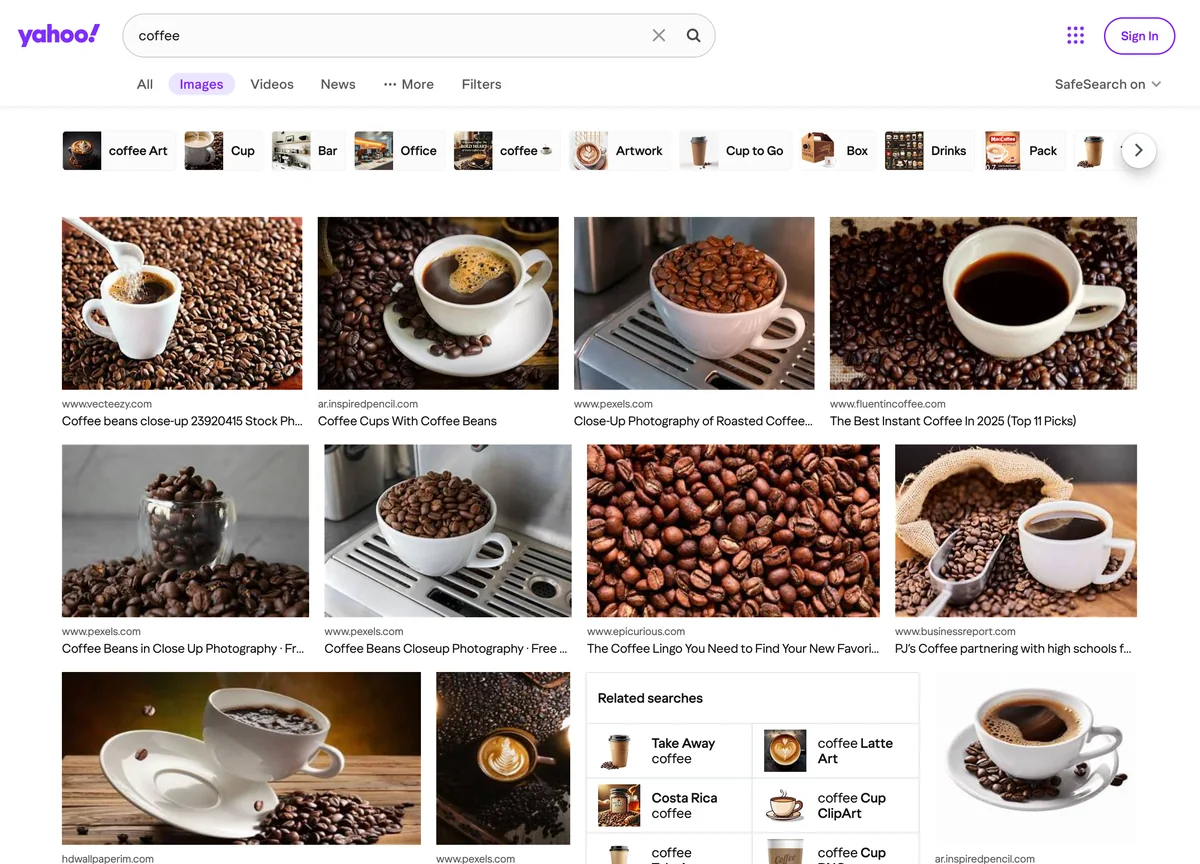
Code to Integrate
curl "https://api.scrapingdog.com/yahoo/images?api_key=APIKEY&query=coffee&image_size=large"
import requests

url = "https://api.scrapingdog.com/yahoo/images"

params = {
    "api_key": "APIKEY",
    "query": "coffee",
    "image_size": "large"
}

response = requests.get(url, params=params)

if response.status_code == 200:
    data = response.json()
    print(data)
else:
    print(f"Request failed with status code: {response.status_code}")
const params = new URLSearchParams({
  api_key: "APIKEY",
  query: "coffee",
  image_size: "large"
});

const response = await fetch(`https://api.scrapingdog.com/yahoo/images?${params}`);
const data = await response.json();
console.log(data);
<?php
$url = 'https://api.scrapingdog.com/yahoo/images?' . http_build_query([
    'api_key'    => 'APIKEY',
    'query'      => 'coffee',
    'image_size' => 'large',
]);
echo file_get_contents($url);
API Response
{
  "query": "coffee",
  "total_time_taken": 1.68,
  "images_results": [
    {
      "rank": 1,
      "title": "Coffee beans close-up 23920415 Stock Photo at Vecteezy",
      "original": "https://static.vecteezy.com/system/resources/previews/023/920/415/large_2x/coffee-beans-close-up-photo.jpg",
      "original_width": 1470,
      "original_height": 980,
      "thumbnail": "https://tse4.mm.bing.net/th/id/OIP.pQ8cQ0yQ0m7gkE1cQe0FVgHaE7?r=0&pid=Api&h=220&P=0",
      "source": "www.vecteezy.com",
      "link": "https://www.vecteezy.com/photo/23920415-coffee-beans-close-up"
    },
    {
      "rank": 2,
      "title": "Coffee Cups With Coffee Beans",
      "original": "https://ar.inspiredpencil.com/pictures/coffee-cups-with-coffee-beans.jpg",
      "original_width": 1600,
      "original_height": 1200,
      "thumbnail": "https://tse2.mm.bing.net/th/id/OIP.7mWwQb9bSxJz1s0rT4t2bQHaFj?r=0&pid=Api&h=220&P=0",
      "source": "ar.inspiredpencil.com",
      "link": "https://ar.inspiredpencil.com/pictures/coffee-cups-with-coffee-beans"
    }
  ]
}